Your dev Mac, in your pocket.

Claude Code and Codex sessions, a real terminal, a touchable iOS Simulator and Xcode builds, from your iPhone.

Poster, iPhone left, MacBook right1920 × 1080 · dark · add data-has-proof to <html> once proof.mp4 exists
Capabilities

Four things it does, all of them real.

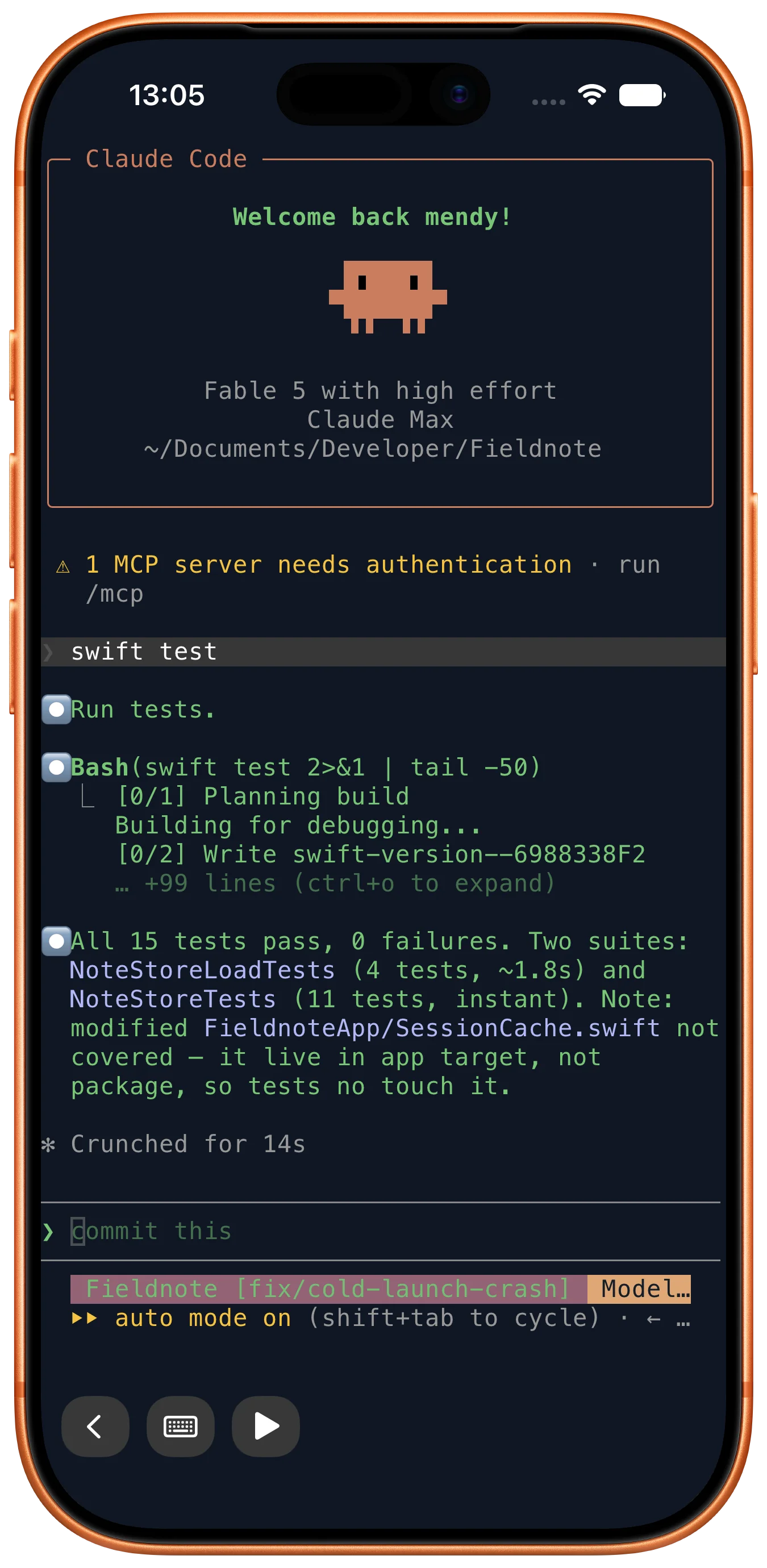
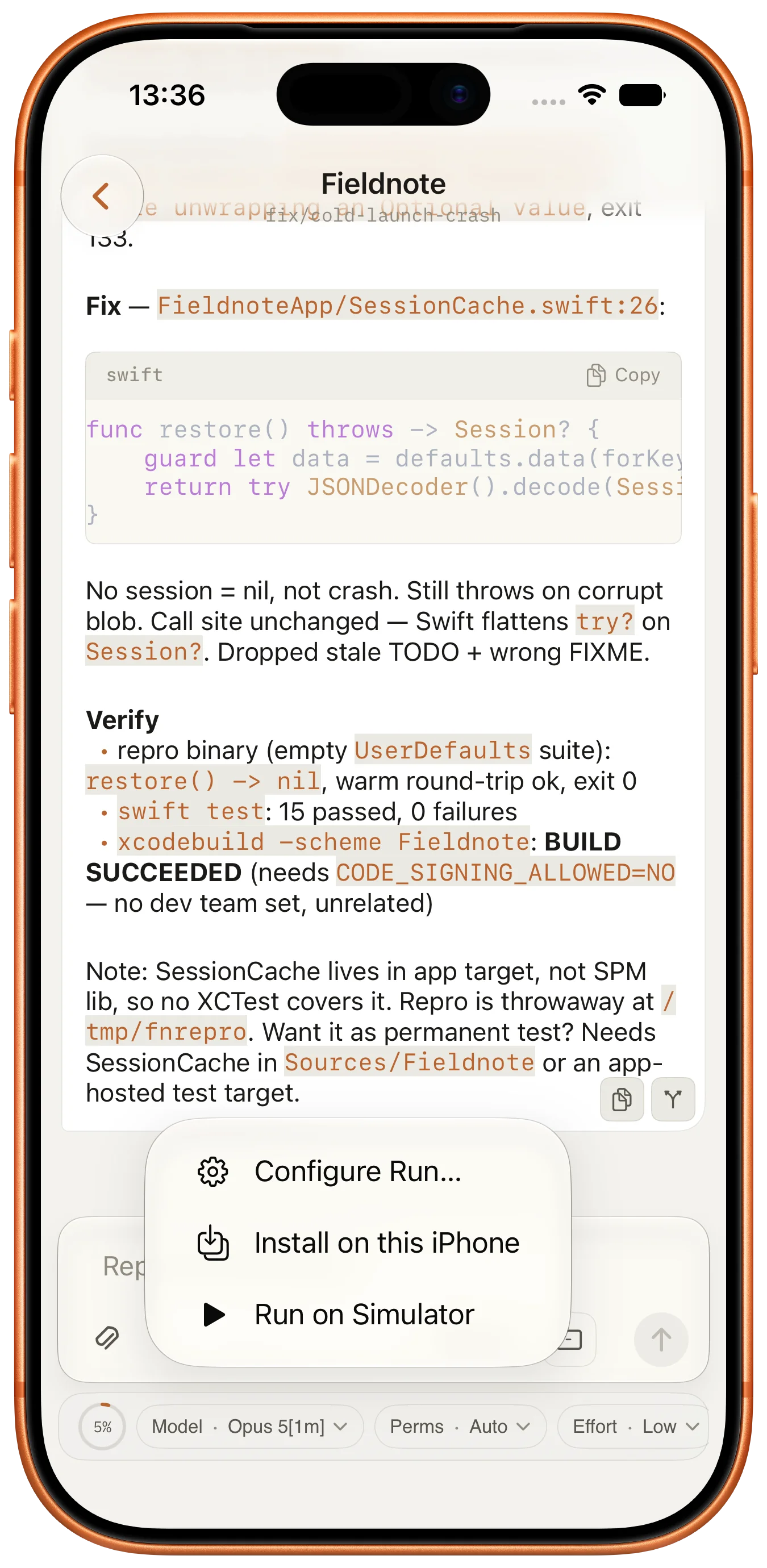
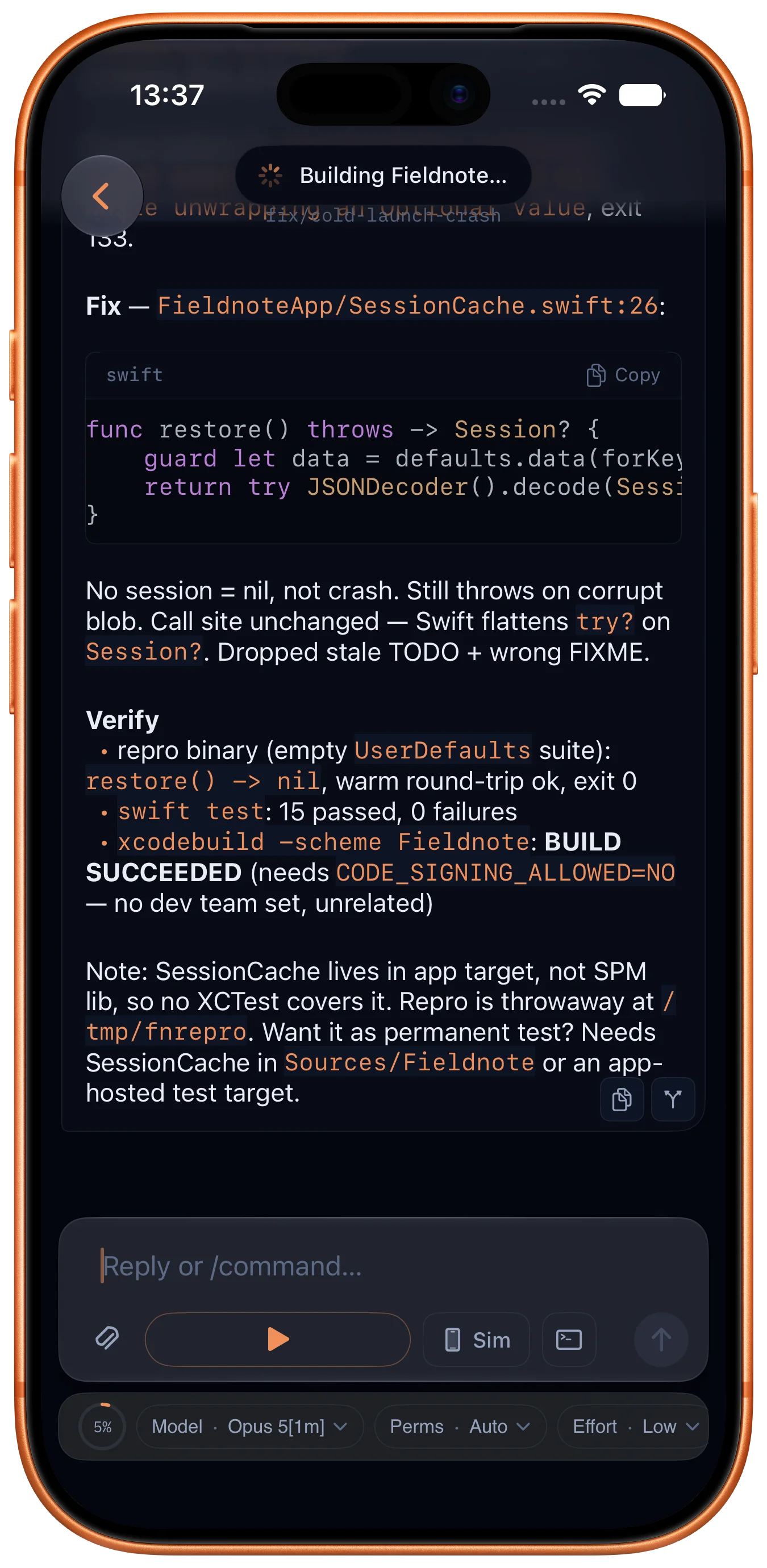
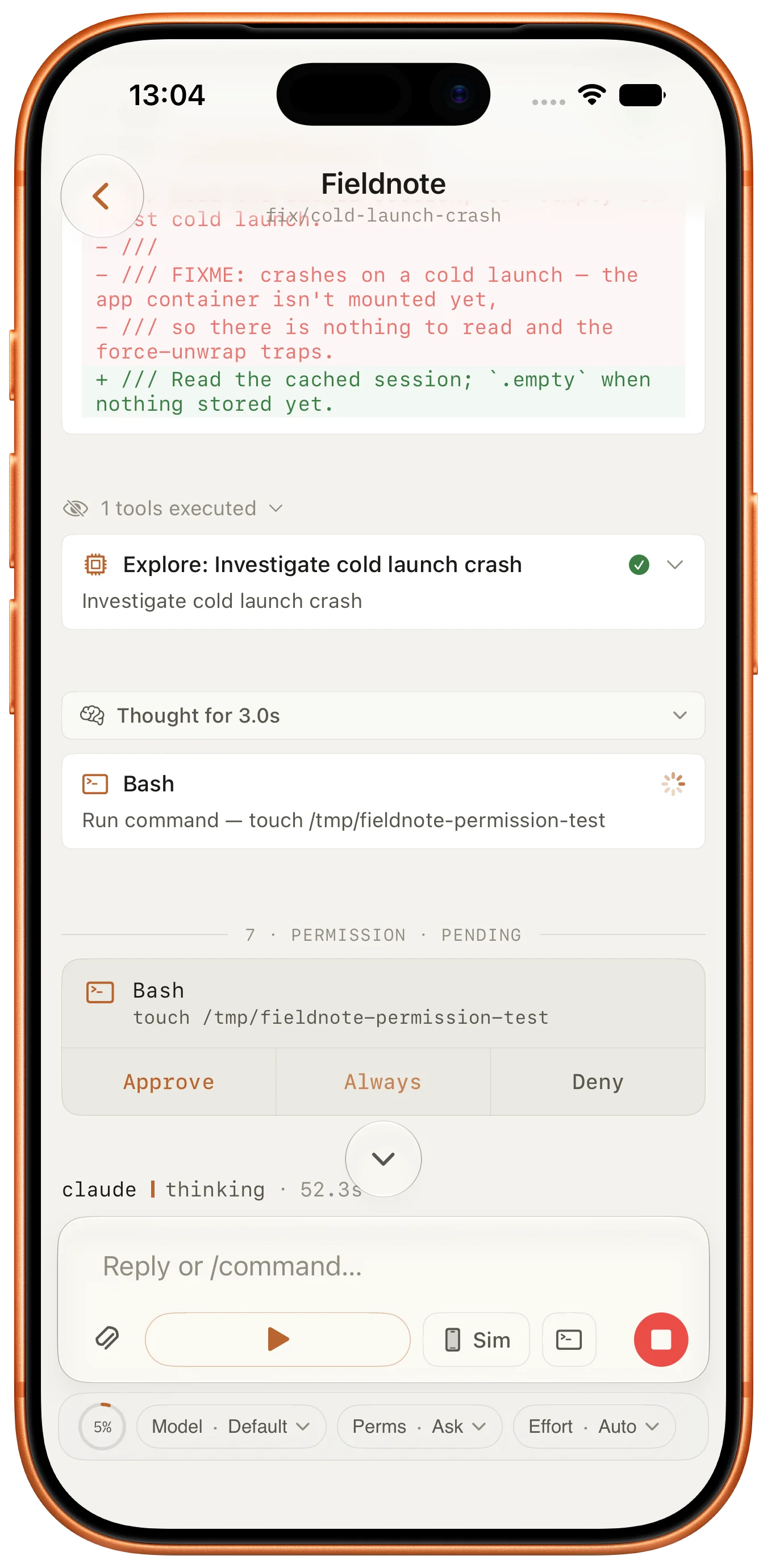
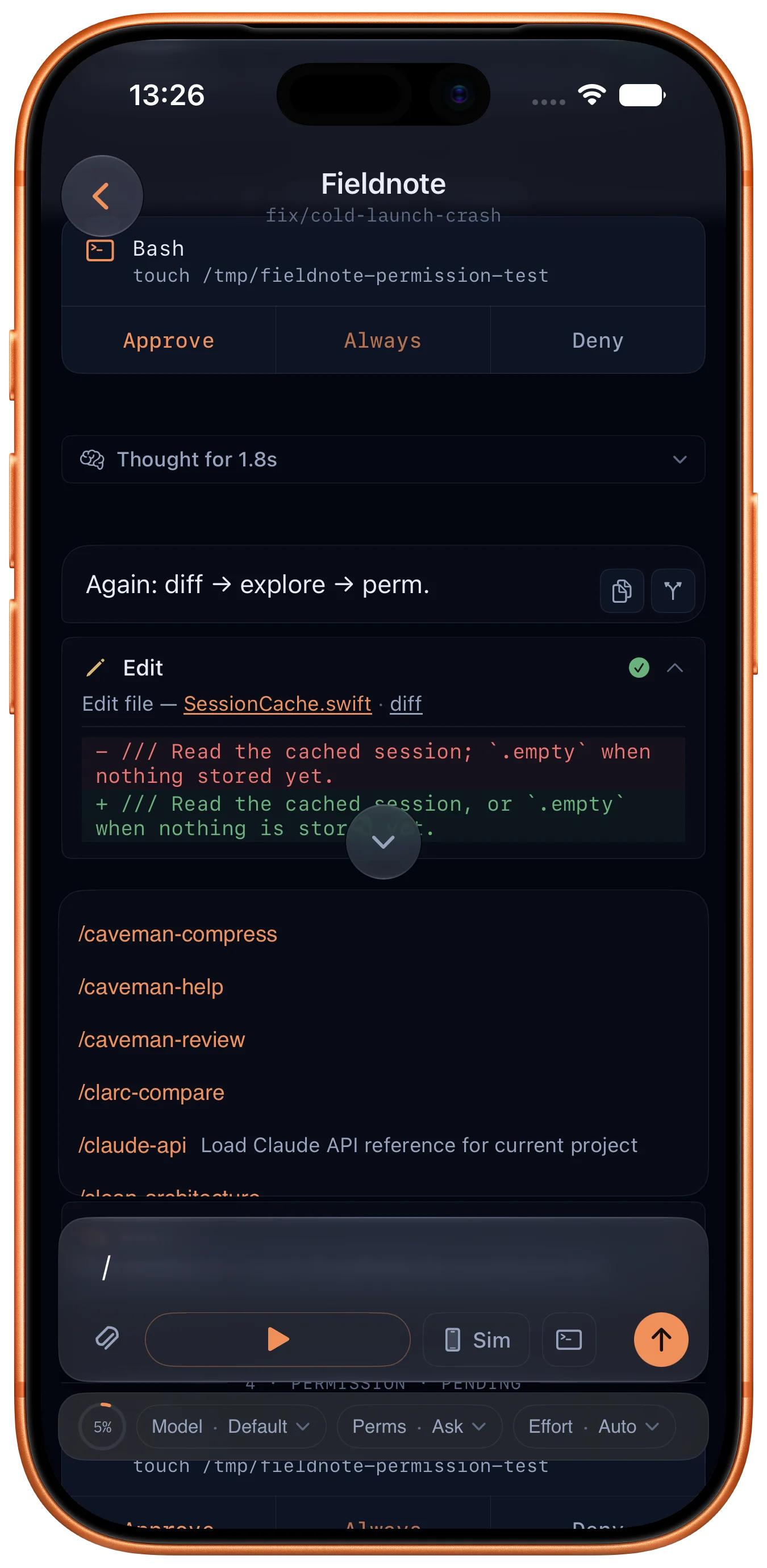
Chat session, streaming answer with tools and diff
Terminal session on the Mac
iOS Simulator mirrored live
Build running with live logs
·
01 · Agent sessions

Claude Code and Codex, on your real projects.

Start a session against any folder on your Mac. The answer streams in as it's written, and anything it wants to run needs your approval first. Your own CLIs, your own subscription.

Model, permission mode and reasoning effort switch mid-conversation · / commands and @ mentions

Terminal output1179 × 2556
02 · Terminal

A real shell on the Mac, not an emulation.

Run scripts, tail logs, fix the thing that broke, without walking back to the desk. Your shell, your .zshrc. Sessions keep running when you close the app or lock the phone.

zsh · bash · fish · notification when a long command finishes

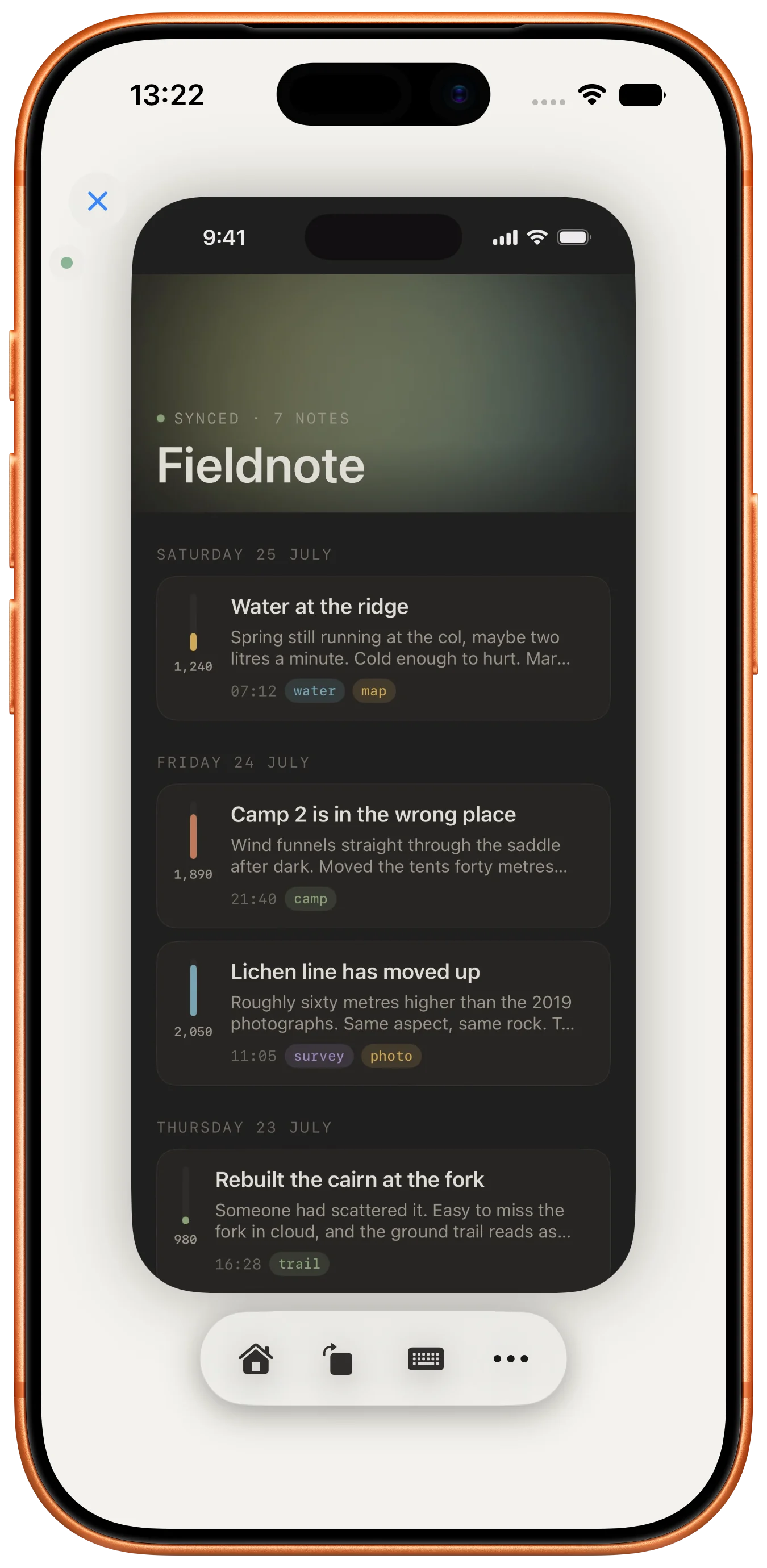
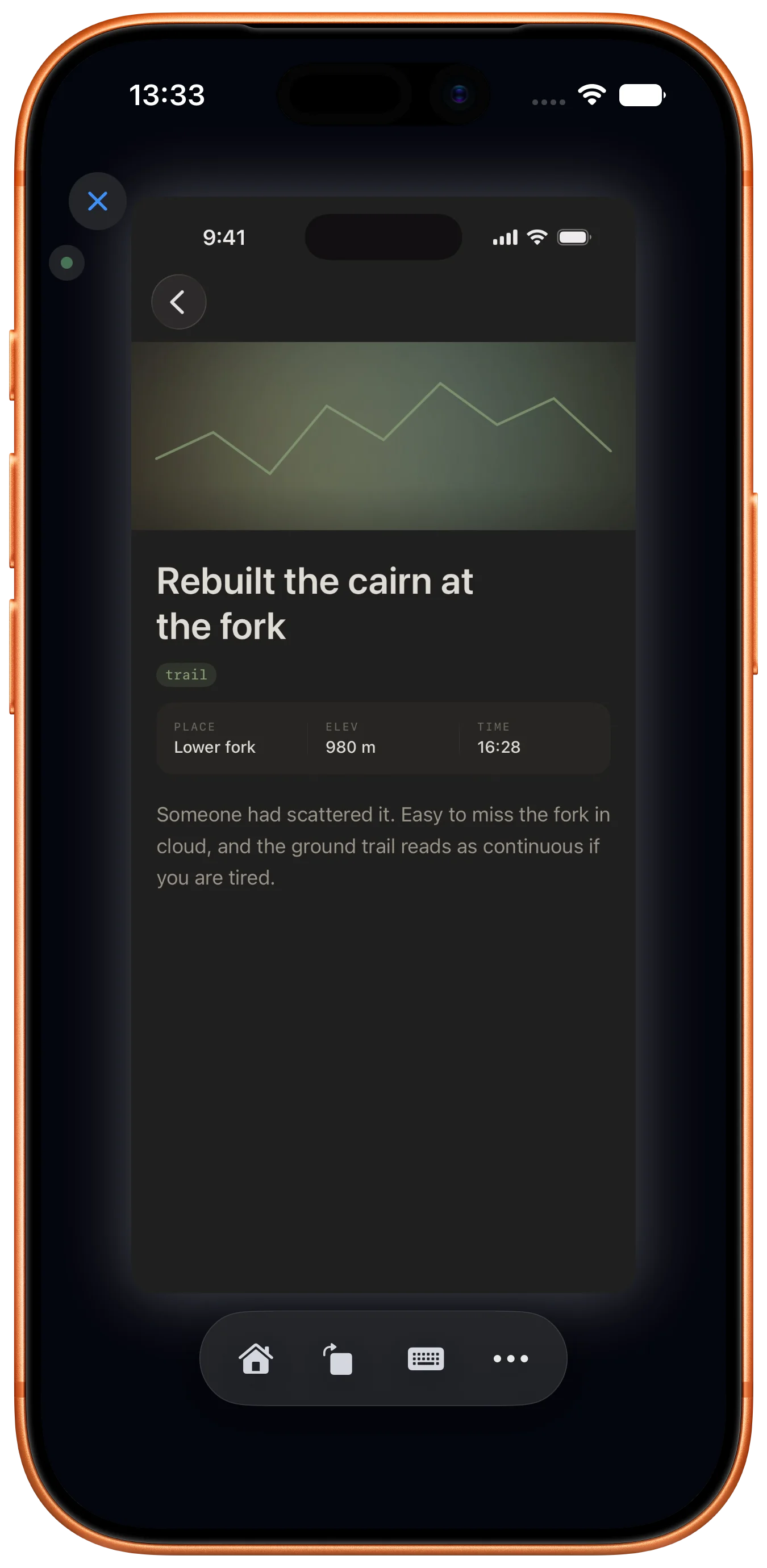
Simulator mirrored1179 × 2556
03 · Simulator

Mirrored as live video, and touchable.

Your Mac's iOS Simulator, streamed to your iPhone. Tap the screen on the phone and the Simulator on the Mac responds, like screen mirroring, except it goes both ways.

Real-time video · touch, scroll and long-press forwarded

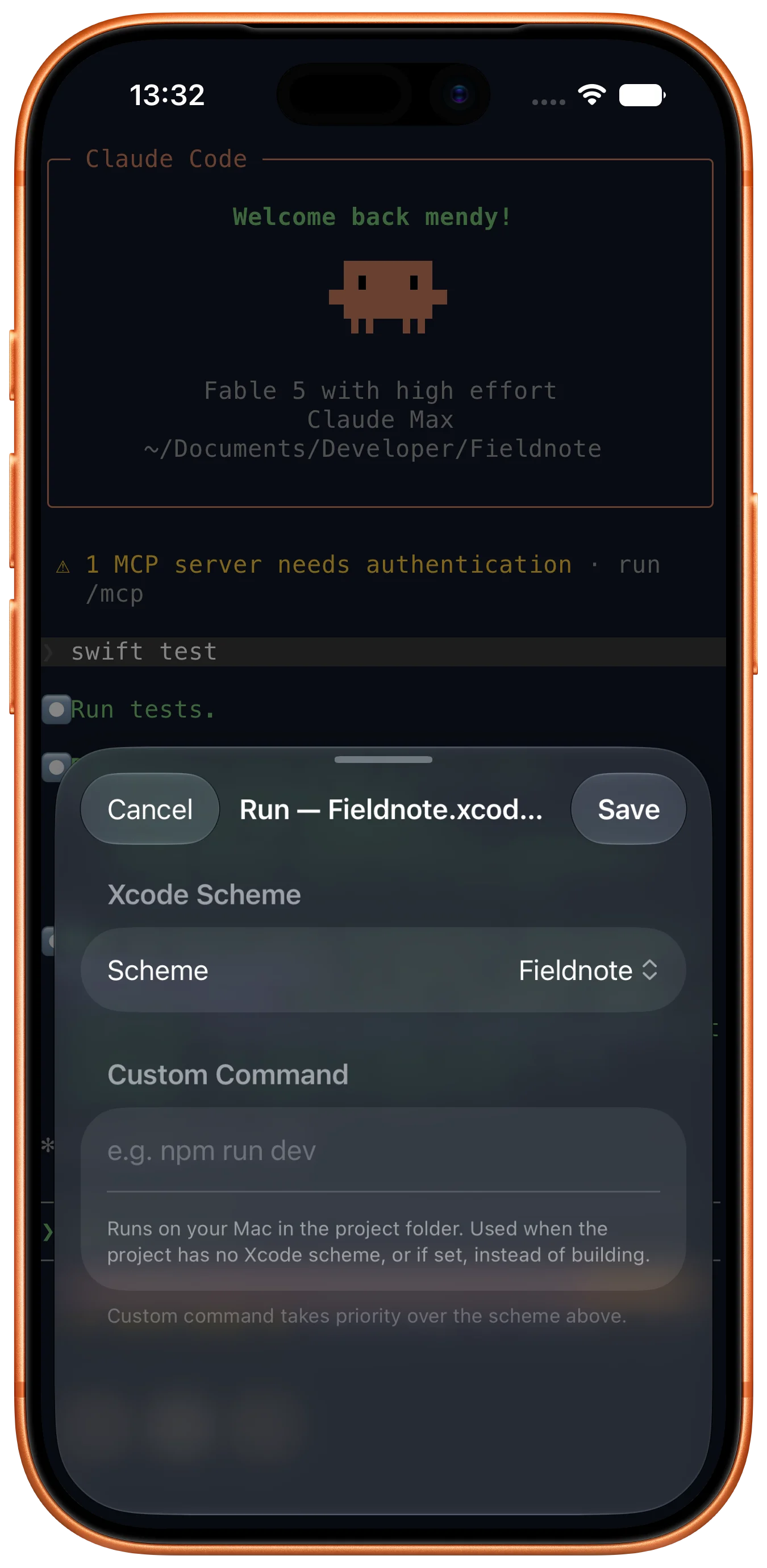
Build running + logs1179 × 2556
04 · Xcode builds

Pick a project, hit Run, watch it compile.

Browse the .xcodeproj files on your Mac, choose a scheme and a simulator, then trigger Build & Run from the phone. Live logs and issue counts as it goes, and you can install the result on a device.

Xcode drives the build · Xtend is the remote control

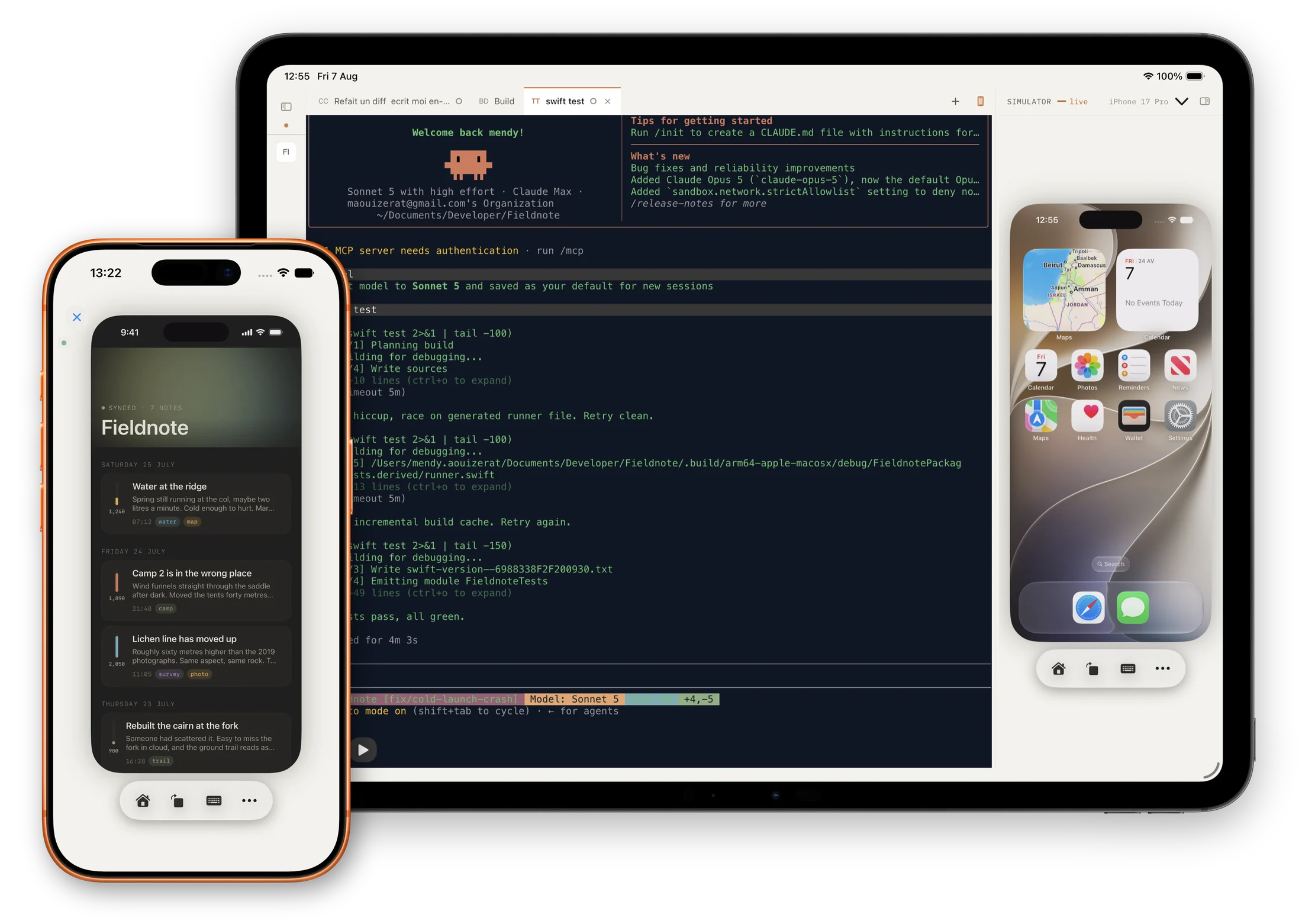
iPad

On iPad, the terminal and the Simulator sit side by side.

On the tablet it all fits at once; on the phone, the same session one column at a time. It stops being a remote control and starts being the workspace.

Xtend on iPad, a terminal session and the live Simulator side by side, with the same Simulator mirrored on an iPhone in front
Getting started

Connected in under a minute.

01

Install the Mac app

A menu-bar companion. Free, direct download.

02

Sign in with Apple

Same Apple ID on both. Nothing else to create.

03

Open a project

The iPhone finds your Mac on its own. No IP, no pairing code.

Your code goes between your devices.

Direct connection. Encrypted WebRTC peer-to-peer between iPhone and Mac, DTLS-SRTP end to end.
No third party in the path. Our signaling server only relays the initial handshake, never the media. Off your local network a TURN relay may forward bytes it cannot decrypt.
Your code is never an analytics event. Crash reports and usage counters only, never your files, your prompts or your terminal. One toggle, on the iPhone and on the Mac, turns them off completely.
encrypted · DTLS-SRTP
iPhoneMac
signaling, handshake only
Pricing

Free every day. Paid when you want more of it.

Unlimited on both tiers, chat with Claude Code and Codex, terminal sessions on the Mac, Xcode builds, working off your Wi-Fi over the internet, and encrypted peer-to-peer with a TURN relay as fallback.

What's metered Free Premium
Simulator streaming A daily allowance Unlimited
Installs to your iPhone A couple a day Unlimited
File uploads Size cap Larger cap
The same app either way. What you pay for is the daily ceiling going away. $0/ forever Renewed every morning. Sign in with Apple. Limits apply on any network, Wi-Fi included. Download on the App Store $4.99/ month 1-week free trial, auto-renews via Apple, cancel anytime in Settings. Pricing may vary by region. Download on the App Store

Daily limits are set server-side and may be adjusted; the app always shows what you have left.

FAQ

Things people actually ask.

How does it actually work?+

Two apps: a Mac companion in the menu bar, and an iOS client. They pair through Sign in with Apple, then open an end-to-end encrypted WebRTC connection between your iPhone and your Mac. On the same Wi-Fi the connection is direct host-to-host. Off your local network, ICE negotiates a NAT-traversal path; if direct P2P is blocked, the apps fall back to a Cloudflare TURN relay. Either way the media, video, touches, terminal, build commands, is protected by DTLS-SRTP, and only your iPhone and your Mac hold the keys.

Do I have to stay on the same Wi-Fi?+

No. Xtend reaches your Mac from anywhere on the open internet, on both tiers, remote access is not the paid feature. On the same network the path is direct; outside it, ICE finds a way through, with an encrypted relay as fallback.

Are the coding agents included?+

No, and that's deliberate. Xtend drives the CLIs you already have installed on your Mac. Claude Code, Codex, with your own keys and your own subscription. Nothing runs through us: the CLI executes locally and the answer is streamed back to your phone.

Does it replace Xcode?+

No. Xcode does the actual building. Xtend drives it from your phone. Think of it as a remote control for the parts of Xcode you'd want when you're not at the keyboard: trigger a build, watch it run, peek at the Simulator, drop into a terminal.

Will my data leave my machine?+

Sign in with Apple is required so the iPhone can find the Mac that belongs to your account, that single auth handshake goes to our server. Beyond that, your Simulator stream, terminal data and build commands flow directly between your iPhone and your Mac over end-to-end DTLS-SRTP; our signaling server only relays the initial WebRTC handshake, not media. When you're off your local network, a Cloudflare TURN relay forwards encrypted bytes only, it can never decrypt your session. The only telemetry is crash reporting and usage counters, keyed to a random install ID before you sign in and to your Apple user identifier after, never to your files or terminal contents. A single toggle, on the iPhone and on the Mac, turns all of it off. Details in the privacy policy.

Why isn't the Mac side on the App Store?+

The Mac companion reads your Xcode projects, drives xcodebuild and captures the Simulator window. Those operations sit outside the Mac App Store sandbox, so the Mac app is distributed directly from this site. The iOS client ships through the App Store as normal.

What happens when I hit a daily limit?+

Only the metered part stops. If you run out of Simulator minutes the video pauses, your chat, terminal and builds keep working, and the session stays connected. Everything resets the next day, or you can upgrade to remove the ceiling.

What's coming next?+

Multiple Macs per account, session recordings, and team accounts are the next things on the list. Dates aren't promises, software ships when it ships.
Get Xtend

Two apps, one Apple ID.

Install Xtend on your iPhone, install the Mac companion from this page, sign in with the same Apple ID on both, and you're connected.

iOS 18.2+·macOS 15.2+·Mac companion required for pairing

QR code, get Xtend Scan for iOS